I stared at my screen, dreading the next few hours.
I needed a pitch deck for OpenAlgo — our open-source algorithmic trading platform. The kind with sleek diagrams, consistent branding, and those infographics that make traders get to know better about openalgo
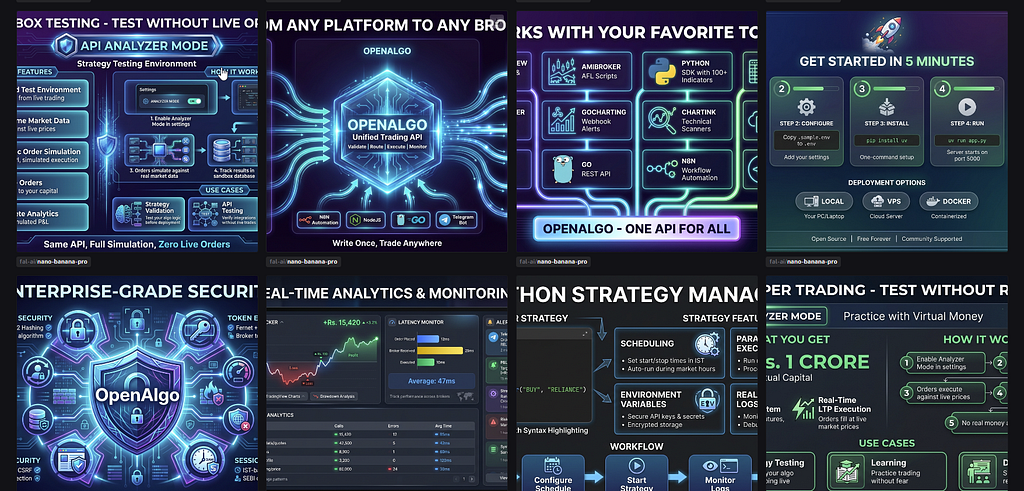
The usual options flashed through my mind: PowerPoint templates. Canva. Hiring a designer. Hours of dragging boxes and aligning text.
Then I thought — what if I didn’t have to do any of that?
What if AI could read my source code and create the entire presentation for me?
Spoiler: It worked. And it worked better than I expected.
The Unexpected Combination
Two things came together this week that made this possible.
Claude Opus 4.5 — Anthropic’s most powerful model — released yesterday. Its ability to understand and reason about code is remarkable.
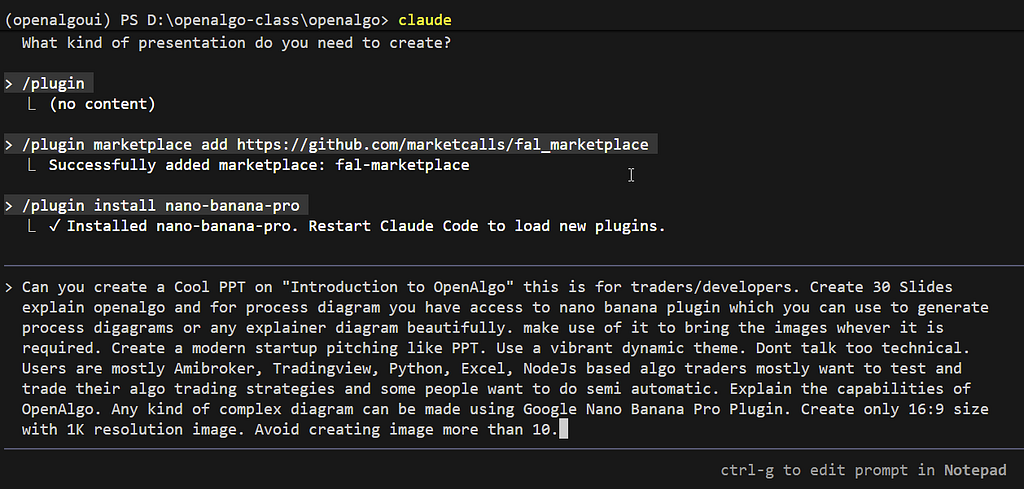
Fal_Marketplace — a Claude Code plugin we built last week — brings fal.ai’s image generation models directly into your coding workflow.
The combination is surprisingly powerful.
The Workflow
Here’s what the entire process looks like:
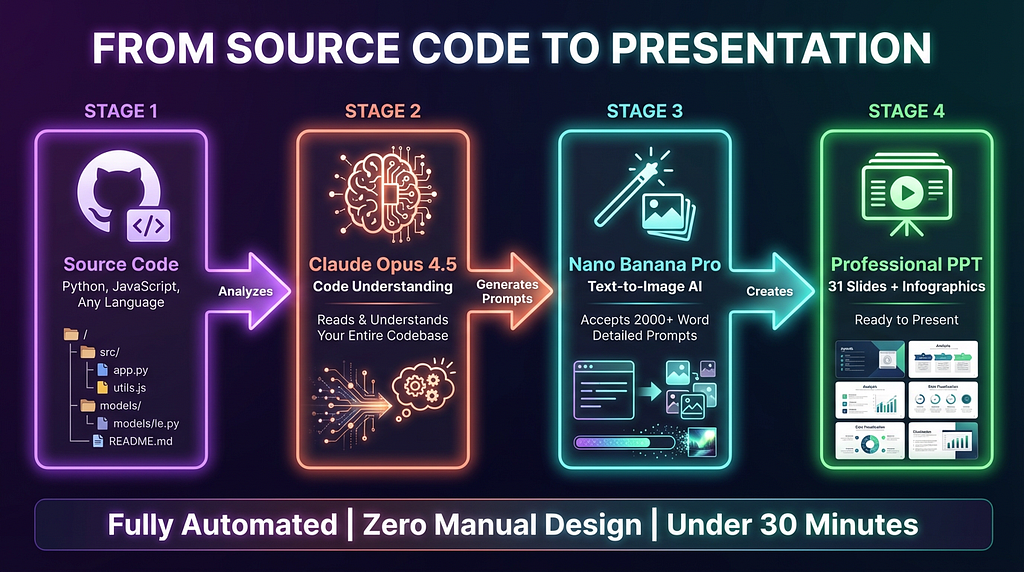
The four-stage pipeline: Source Code → Claude Opus 4.5 → Nano Banana Pro → Professional PPT
Let me break down each stage.
Stage 1: Point Claude at Your Codebase
I opened Claude Code in my OpenAlgo repository and typed:
> “Create a 30-slide PPT on Introduction to OpenAlgo. This is for traders and developers. Use the nano-banana plugin to generate process diagrams and infographics. Make it a modern startup pitch deck.”
That’s it. One prompt.
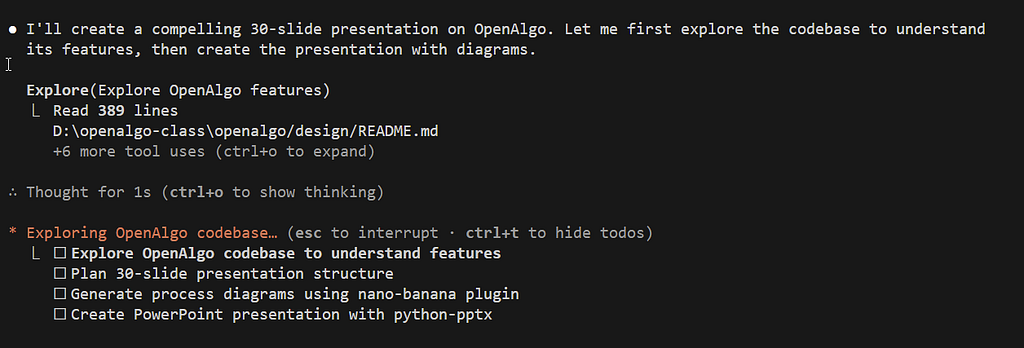
Claude didn’t ask me what OpenAlgo does. It didn’t need a feature list or marketing copy.
It read the source code.
Within seconds, it was exploring routes, API endpoints, broker integrations, and documentation files. It understood that OpenAlgo connects to 24+ Indian brokers, supports 12 trading platforms, and has features like Sandbox Testing and Action Center.
All from the code.
Stage 2: The Secret Weapon — 2000+ Word Prompts
Here’s what most people don’t realize about image generation.
Nano Banana Pro accepts prompts with over 2000 words.
This changes everything.
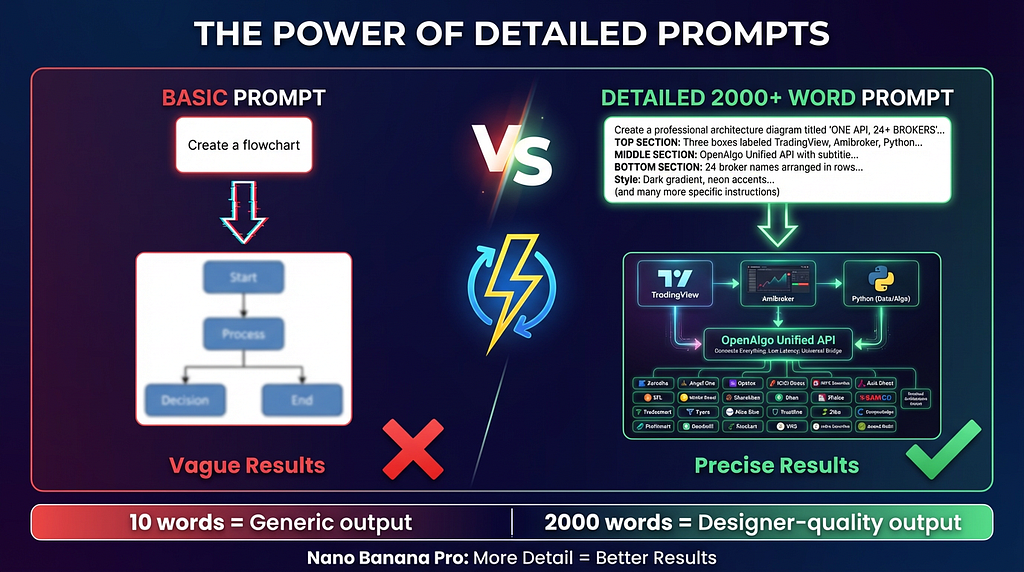
Basic prompts produce generic results. Detailed prompts produce designer-quality output
Instead of writing “create a flowchart,” Claude wrote prompts like this:
Create a professional architecture diagram titled “ONE API, 24+ BROKERS”
in bold white text at the top.
TOP SECTION — “YOUR TRADING PLATFORM”:
Three boxes in a row labeled: “TradingView”, “Amibroker”, “Python/Excel”
All three have arrows pointing down to a single point.
MIDDLE SECTION — “OPENALGO API LAYER”:
A large glowing rectangular box in the center labeled “OpenAlgo Unified API”
with subtitle “Single Integration Point”
Inside this box, show text: “Place Order | Modify | Cancel | Positions | Holdings | Quotes”
BOTTOM SECTION — “BROKER CONNECTIONS”:
From the API box, 24 small lines fan out downward connecting to broker names:
Row 1: “Zerodha”, “Angel One”, “Upstox”, “Dhan”, “Fyers”, “5Paisa”, “IIFL”, “Kotak”
Row 2: “Motilal”, “Groww”, “Shoonya”, “Flattrade”, “Alice Blue”, “Firstock”…
Style: Modern tech diagram, dark gradient background, neon blue and purple
accent colors, clean connecting lines, professional typography.
The result? A polished, branded diagram that looks like a designer spent hours on it.
Claude wrote ten of these detailed prompts — one for each infographic — because it understood exactly what needed to be visualized.
— -
Stage 3: Automatic Assembly
Claude didn’t stop at generating images.
It wrote a Python script using `python-pptx` that:
- Created 31 slides with 16:9 aspect ratio
- Applied a dark gradient theme with purple, cyan, and coral accents
- Set consistent typography across all slides
- Embedded each AI-generated image in the right position
- Added titles, bullet points, and captions
One command assembled everything into a polished `.pptx` file.
— -
What I Got
30 slides. Professional startup pitch deck styling.
10 custom infographics:
- Target audience personas
- Broker architecture diagram
- Platform integration ecosystem
- TradingView webhook flow
- Complete order flow
- Action Center workflow
- Sandbox testing explainer
- Strategy manager features
- Analytics dashboard
- Security features
Zero manual design work.
Total time: Under 30 minutes.
You can view the complete presentation here:
Introduction to OpenAlgo - Self Hosted Algo Trading Platform (Open Source)
Why This Matters
I’ve been thinking about what this means.
For developers: You can now create investor decks, product demos, and documentation directly from your codebase. No context-switching. No waiting for designers.
For founders: Your pitch deck actually reflects your product — because the AI read your source code, not your marketing fluff.
For educators: Any codebase can become teaching material with accurate, visual explanations.
We’re not replacing designers. We’re giving technical people the ability to create professional materials without leaving their natural environment — the code.
— -
Try It Yourself
Step 1: Install the plugin
/plugin marketplace add https://github.com/marketcalls/fal_marketplace
/plugin install nano-banana-pro
Step 2: Set your fal.ai API key
setx FAL_KEY "your-api-key-here"
Step 3: Restart Claude Code and ask
> “Create a presentation about [your project] using the nano-banana plugin for diagrams. Write detailed prompts — Nano Banana accepts 2000+ words.”
That last part is important. Tell Claude about the detailed prompt capability. The more context in the prompt, the better the output.
— -
The Uncomfortable Truth
I spent years learning PowerPoint tricks. Aligning shapes. Choosing color palettes. Formatting bullet points.
An AI just did it better in 30 minutes.
But here’s the thing — I’m not upset. I’m excited.
Because now I can focus on what actually matters: building the product, writing the code, solving the problems.
The presentation? That’s handled.
— -
Resources
Fal_Marketplace Plugin: github.com/marketcalls/fal_marketplace
Final Presentation: [SlideShare — Introduction to OpenAlgo]
OpenAlgo: https://github.com/marketcalls/openalgo
— -
If you try this workflow, I’d love to see what you create. Drop a comment or tag me.
And if you’re an algo trader looking to automate your strategies across Indian brokers — check out OpenAlgo. It’s open source and free forever.
